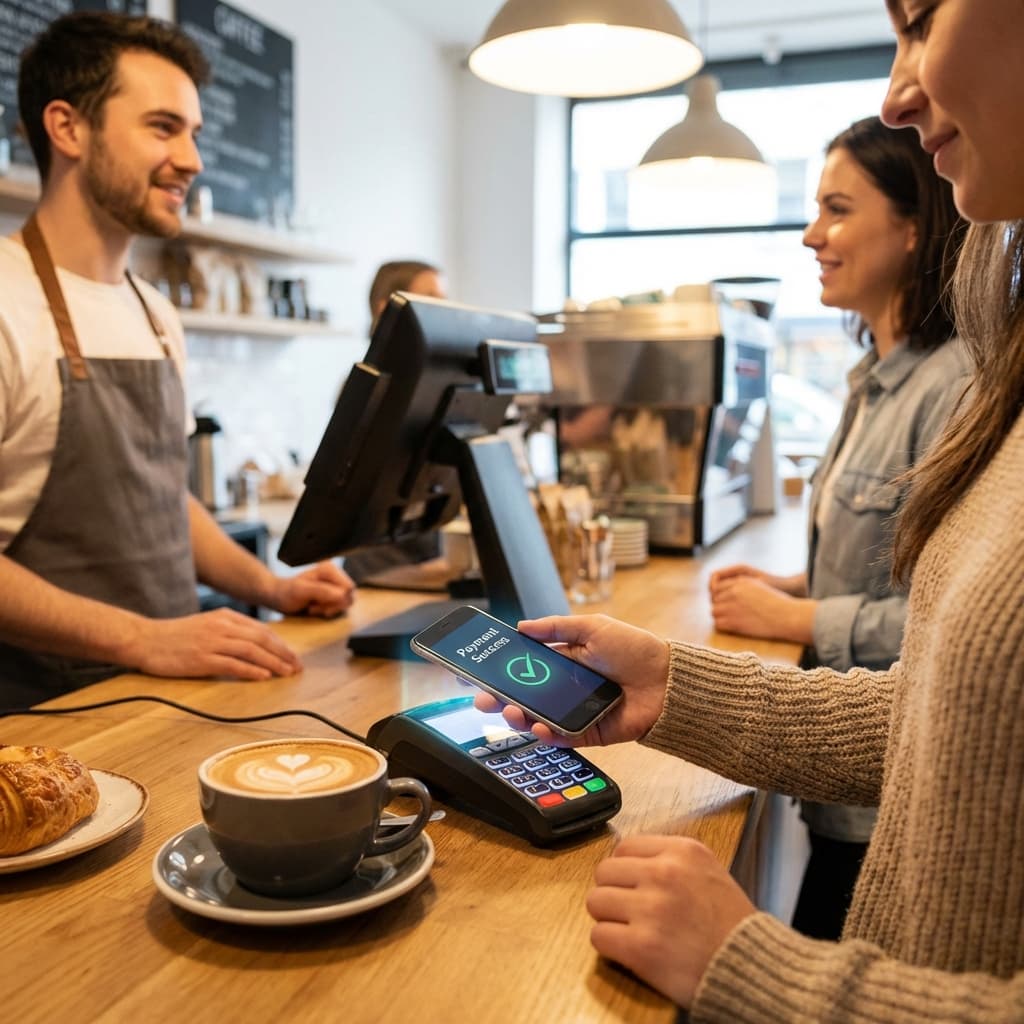
A customer approaches your coffee shop counter, morning rush in full swing. They order a latte and reach for their wallet—then pause, realizing they left it at home. Phone is in hand, though. "Do you take Apple Pay?" they ask hopefully. You shake your head no. They apologize and step aside, letting the line continue while they frantically check if they have cash. Sale lost, customer frustrated, line held up.
This scenario repeats constantly across small businesses worldwide. Meanwhile, a few blocks away, a competing cafe processes the same transaction in 2 seconds: customer taps phone, payment approved, receipt emailed, next customer. No fumbling for cards, no signature, no PIN entry.
The difference? Contactless payment acceptance. What was once a luxury feature for large retailers has become table stakes for small businesses. Consumer behavior has shifted dramatically: in many markets, 50%+ of in-person transactions are now contactless. Small businesses that don't accept tap-to-pay aren't just missing convenience—they're missing sales.
The Contactless Payment Revolution
Understanding the transformation requires examining how rapidly consumer behavior has changed.
The Adoption Curve
Pre-2020: Contactless payments existed but remained niche. Some early adopters used Apple Pay or Google Pay, but most consumers defaulted to card insertion or cash.
2020-2021 (COVID-19 Catalyst): The pandemic accelerated adoption dramatically. Hygiene concerns made touching shared surfaces (PIN pads, cash) undesirable. Contactless became safer, not just faster.
2022-Present: Contactless is now mainstream. Key statistics:
- 65%+ of credit/debit cards in circulation support contactless (in developed markets)
- 75%+ of smartphones have NFC payment capability (Apple Pay, Google Pay, Samsung Pay)
- 50%+ of in-person transactions are contactless in leading markets (UK, Australia, Canada)
- 83% of consumers say contactless payment availability influences where they shop
The Generational Divide:
- Gen Z (18-25): 78% prefer contactless payment, many don't carry physical cards
- Millennials (26-40): 68% regularly use contactless options
- Gen X (41-56): 45% use contactless when available
- Boomers (57-75): 28% use contactless, growing rapidly
Every year, the baseline expectation shifts higher.
Why Contactless Matters for Small Business
Speed: Average transaction time:
- Cash: 30-45 seconds (count change, wait for customer to put away wallet)
- Chip card: 15-25 seconds (insert, wait for verification, PIN entry, remove card)
- Swipe card + signature: 20-30 seconds
- Contactless: 2-5 seconds (tap, approved, done)
For high-volume businesses (coffee shops, quick-service restaurants, retail), this compounds:
- Serve 20 customers/hour with chip cards: 6-8 minutes checkout time
- Serve same 20 customers with contactless: 1-2 minutes checkout time
- Time savings: 5-6 minutes/hour = 50-60 minutes/10-hour day
That's time staff can spend on customer service, food prep, or serving additional customers.
Higher Transaction Values: Studies consistently show contactless payments increase spending:
- Less "pain of payment" when tapping vs. handing over cash
- Faster checkout reduces hesitation about adding items
- Digital wallets make it easier to spend (no mental math about remaining cash)
Average increase: 15-30% higher transaction values for contactless vs. cash.
Reduced Cart Abandonment: Customers who discover you don't accept their preferred payment method often leave without purchasing:
- 42% of millennials have abandoned purchases due to lack of contactless option
- 18% of all consumers report leaving a store because preferred payment method wasn't accepted
Every abandoned transaction is lost revenue.
Hygiene and Safety Perception: Post-COVID, cleanliness expectations remain elevated. Contactless payments are perceived as more hygienic than:
- Handling cash (changes hands frequently)
- Touching PIN pads (shared surface, rarely sanitized)
- Signing receipts (shared pen)
Customers consciously or unconsciously favor businesses offering contactless options.
How Contactless Payments Work
The technology is sophisticated but the user experience is simple.
The Technology Stack
Customer Device: Smartphones (iPhone 7+, most Android devices) or contactless credit/debit cards contain NFC chips. When tapped against a reader, they transmit encrypted payment credentials.
Merchant Terminal: NFC-enabled point-of-sale (POS) terminal receives encrypted credentials, sends to payment processor for authorization.
Payment Processor: Verifies credentials, checks account balance, approves or declines transaction. Entire process takes 1-3 seconds.
Settlement: Approved transaction settles into merchant account within 1-3 business days (same as traditional card payments).
The Customer Experience
With Phone (Apple Pay, Google Pay, Samsung Pay):
- Customer approaches terminal
- Opens digital wallet (or double-clicks phone button to activate)
- Taps phone against terminal (authenticates with Face ID/fingerprint if required)
- Transaction approves instantly
- Digital receipt sent to phone
With Contactless Card:
- Customer taps card against terminal
- Transaction approves instantly (for amounts under $100-250 depending on region)
- For larger amounts, may require PIN entry
- Done
No Signature Required: For most contactless transactions, signatures are unnecessary (card networks eliminated signature requirements for most transactions in recent years).
Security: Why Contactless Is Safer Than Traditional Cards
Tokenization: When you tap your phone, the actual card number isn't transmitted. Instead, a one-time-use token is generated. Even if intercepted, it's useless for future transactions.
Biometric Authentication: Phone-based payments can require Face ID or fingerprint, adding a layer traditional cards lack.
Limited Transmission Range: NFC works only within 1-2 inches, making it essentially impossible to intercept from a distance.
No Card Skimming: Unlike magnetic stripe cards, contactless transactions can't be skimmed (copied by malicious devices).
Transaction Limits (Cards): Many regions impose limits on contactless card transactions without PIN (e.g., $100-250). This limits fraud exposure if card is stolen.
Result: Contactless fraud rates are significantly lower than magnetic stripe or chip-insert fraud rates.
Implementation for Small Businesses
Deploying contactless payment acceptance is straightforward.
Option 1: Upgrade Existing Terminal
If you have a recent POS system, it may already support NFC but not be enabled.
Check Compatibility: Look for a contactless symbol (four curved lines) on your terminal. If present, NFC hardware exists.
Enable Feature: Contact your payment processor to activate contactless acceptance. This is often:
- Free or minimal cost ($0-50 one-time fee)
- Activated remotely (no physical hardware change)
- Ready to use within 24-48 hours
Best For: Businesses with terminals purchased in last 3-5 years.
Cost: $0-50
Option 2: Replace Terminal with NFC-Capable Model
If current terminal doesn't support NFC, upgrade to modern hardware.
Popular Options:
Countertop Terminals:
- Clover Station: $1,299 (comprehensive POS with contactless)
- Square Terminal: $299 (all-in-one, portable)
- Ingenico Desk/5000: $400-600 (traditional terminal style)
Mobile/Portable:
- Square Reader: $49 (attaches to smartphone/tablet)
- SumUp Air: $69 (standalone card reader)
- Stripe Terminal Reader: $59 (portable, connects to smartphone)
Integrated POS Systems: Full point-of-sale systems with contactless built-in:
- Toast (restaurants): $799+ hardware, monthly subscription
- Lightspeed (retail): Custom pricing
- Square POS (general): Free software, hardware varies
Best For: Businesses needing new POS hardware anyway or wanting to modernize entire payment experience.
Cost: $49-$1,500 depending on needs
Option 3: Mobile Payment Apps (Minimal Hardware)
Use smartphone/tablet as payment terminal with small reader attachment.
Square:
- Free app + $49 reader or $299 standalone terminal
- 2.6% + $0.10 per tap/dip/swipe, 3.5% + $0.15 per manual entry
- No monthly fees
- Great for: Small retailers, pop-ups, mobile businesses
Stripe Terminal:
- App + $59 reader
- Custom processing rates (typically 2.7% + $0.05)
- Requires technical setup
- Great for: Tech-savvy businesses, those wanting API customization
PayPal Zettle:
- Free app + $79 reader
- 2.29% + $0.09 per transaction
- Good PayPal integration
- Great for: Businesses already using PayPal
Best For: Very small businesses, mobile vendors, farmers markets, food trucks, pop-up shops.
Cost: $49-$299 hardware + per-transaction fees
Option 4: All-in-One POS Platform
Modern cloud-based POS with payments, inventory, analytics, and more.
Benefits:
- Integrated ecosystem (payments, inventory, customer management, reporting)
- Cloud-based (access from anywhere)
- Automatic updates
- Superior analytics
Leading Platforms:
- Square POS: Free software, hardware costs, 2.6% + $0.10 per transaction
- Shopify POS: $89/month + hardware, 2.6% + $0.10 (Shopify Payments)
- Lightspeed: $69-$199/month + hardware + processing fees
- Toast (restaurants): $0-$165/month per terminal + hardware + processing
Best For: Growing businesses wanting comprehensive business management, not just payments.
Cost: $300-$2,000 hardware + $0-200/month + processing fees
Processing Fees: What to Expect
Understanding fee structures is critical.
Fee Components
Interchange Fees: Set by card networks (Visa, Mastercard). These are non-negotiable and same for all processors. Typically 1.5-2.5% + $0.10-0.15 per transaction.
Processor Markup: What your payment processor charges on top of interchange. This IS negotiable. Typically 0.2-1% + $0.05-0.10.
Total Merchant Fees: Combined, expect to pay 2.0-3.5% + $0.10-0.25 per transaction.
Example: $50 transaction at 2.6% + $0.10:
- Percentage fee: $50 × 0.026 = $1.30
- Fixed fee: $0.10
- Total fee: $1.40
- You receive: $48.60
Contactless vs. Traditional Card Fees
Important: Contactless (tap) transactions typically cost the SAME as traditional chip-insert transactions.
Some processors initially charged premiums for contactless, but this is now rare. Verify with your processor that tap transactions are same rate as insert.
Phone Payments (Apple Pay, Google Pay): Sometimes qualify for LOWER interchange rates because they're considered more secure (tokenization + biometric auth). Savings: 0.1-0.3%.
Negotiating Better Rates
For Small Businesses: Limited negotiating power, but strategies exist:
Shop Around: Get quotes from multiple processors:
- Square
- Stripe
- PayPal
- Dharma Merchant Services (B-corp, transparent pricing)
- Payment Depot (membership model, lower rates)
Interchange-Plus Pricing: Request "interchange-plus" rather than "flat-rate" pricing. This shows exactly what goes to card networks vs. processor, ensuring transparency.
Volume Discounts: If processing $10K+/month, you may qualify for lower rates.
Long-Term Contracts: Avoid contracts with early termination fees. Month-to-month gives flexibility to switch if better rates appear.
Hidden Fees to Avoid
Watch Out For:
- PCI Compliance Fees: $100-300/year (sometimes waived)
- Monthly Minimums: Charge fee if you don't process enough volume (avoid these)
- Statement Fees: $10-20/month to access reports (ridiculous, avoid)
- Batch Fees: $0.10-0.25 per day you process (usually unavoidable, but confirm)
- Chargeback Fees: $15-25 per customer dispute (standard, can't avoid)
- Early Termination Fees: $200-500 if you leave contract early (avoid contracts that have these)
Best Processors for Transparency:
- Square (all-inclusive pricing, no hidden fees)
- Stripe (transparent, technical)
- Dharma Merchant Services (certified B-corp, ethical)
Implementation Checklist
Step-by-step to accepting contactless payments.
Step 1: Assess Current Setup
Questions to Answer:
- When did you acquire your current terminal? (If less than 3 years, might already support NFC)
- Who is your current payment processor?
- What are your current processing fees?
- How many transactions do you process monthly?
- What's your average transaction value?
Step 2: Research Options
Get Quotes: Contact 3-5 providers:
- Your current processor (inquire about enabling/upgrading)
- Square
- Stripe
- One local/traditional processor
- One alternative (Dharma, Payment Depot, etc.)
Compare:
- Hardware costs
- Processing rates
- Monthly fees
- Contract terms
- Features (reporting, inventory, customer management)
- Support quality
Step 3: Choose and Order
Decision Factors:
- Total cost of ownership (hardware + monthly fees + processing fees over 2 years)
- Ease of use
- Integration with existing systems (accounting, inventory, etc.)
- Customer support reputation
- Flexibility (month-to-month vs. long-term contract)
Order Equipment: Most providers ship within 3-5 business days.
Step 4: Set Up and Test
Unboxing and Setup: Modern terminals are designed for easy setup:
- Charge device
- Connect to Wi-Fi or pair with phone
- Log into processor account via terminal screen
- Follow on-screen setup wizard
Run Test Transactions: Before going live:
- Process test transaction with your own contactless card
- Test with Apple Pay and Google Pay
- Verify funds deposit correctly
- Ensure receipts are working (digital and paper if applicable)
Staff Training: Train team on:
- How to prompt customers to tap
- What to do if tap fails (have customer insert chip card as backup)
- How to process refunds
- Where to find transaction history
Step 5: Launch and Promote
Announce to Customers:
- Signage at checkout: "We Accept Apple Pay, Google Pay, and Contactless Cards"
- Social media post: "Now accepting contactless payments for faster, safer checkout!"
- Email to customer list (if you have one)
- Table tents or window clings (free from many processors)
Train Customers: Many customers may not realize you now accept contactless. Prompt them:
- "You can tap your card or phone if you'd like!"
- Point to the contactless symbol on the terminal
Monitor and Optimize:
- Track contactless adoption rate (what % of transactions are tap vs. insert?)
- Measure if average transaction values increase
- Gather customer feedback
- Troubleshoot any issues quickly
Benefits Beyond Faster Checkout
Contactless payments deliver value across multiple dimensions.
1. Data and Analytics
Digital payments generate rich data:
- Transaction time stamps (identify peak hours)
- Average transaction values
- Repeat customer identification (via tokenized card data)
- Product-level data (when integrated with POS)
Use Cases:
- Staffing Optimization: Schedule more staff during transaction peak hours
- Inventory Management: Identify best-sellers and slow movers
- Marketing: Target promotions based on purchase history
- Financial Forecasting: Predict cash flow based on transaction trends
2. Reduced Cash Handling
Cash is Expensive:
- Bank deposit trips (time + transportation)
- Cash register shortages/overages (errors cost money)
- Theft risk (employee and external)
- Change management (ensuring adequate denominations)
- Armored car services (if handling large cash volumes)
Going Cashless or Cash-Light: Many businesses reduce or eliminate cash:
- Faster end-of-day reconciliation
- Lower theft risk
- Simplified bookkeeping
- Staff can focus on customers, not counting drawers
Consideration: Some customers still prefer cash. Evaluate your customer base before going fully cashless.
3. Improved Bookkeeping
Automatic Records: Every digital transaction is recorded automatically:
- Amount
- Date/time
- Item(s) purchased (if POS-integrated)
- Customer (if tokenized data or loyalty program)
Integration with Accounting: Modern processors integrate with QuickBooks, Xero, FreshBooks, etc.:
- Transactions sync automatically
- Reduce manual data entry
- Fewer errors
- Easier tax preparation
Audit Trail: Complete transaction history simplifies audits, disputes, and financial reviews.
4. Customer Loyalty and Engagement
Digital Receipts: Email or SMS receipts enable:
- Follow-up marketing ("Thanks for visiting! Here's a 10% off coupon for next time")
- Product recommendations
- Review requests
- Loyalty program enrollment
Loyalty Integration: Link contactless payments to loyalty programs:
- Customer taps card, loyalty points automatically credited
- No separate loyalty card to carry
- Simplified customer experience
Personalization: Recognize returning customers via tokenized card data:
- Greet by name
- Recommend items based on purchase history
- Offer personalized promotions
5. Competitive Differentiation
Meeting Customer Expectations: Accepting contactless is increasingly baseline, but being early in your market still differentiates:
- Modern, tech-forward brand perception
- Appeals to younger demographics
- Positions you as customer-centric
Attracting Tech-Savvy Customers: Millennials and Gen Z actively seek businesses offering convenient payment options.
Common Concerns Addressed
"The Fees Are Too High"
Reality Check: Processing fees (2.0-3.5%) are cost of doing business, not unique to contactless. They're the same for chip-insert transactions.
ROI Calculation: Increased transaction speed and higher average ticket values typically offset fees:
- Serve 20% more customers per hour: Revenue increase
- Average transaction value up 15-20%: Revenue increase
- Reduced cash handling costs: Expense decrease
Most businesses find the net impact is strongly positive.
"My Customers Don't Use It"
Data Says Otherwise: 65%+ of cards issued are contactless. Even if customers don't actively use it yet, they have the capability.
Change Happens Fast: Adoption accelerates once available. Customers who've never used contactless elsewhere will try it at your business if you accept it.
Generational Shift: Every year, more Gen Z and Millennials enter peak spending years. Their preference for contactless is strong.
"It's Too Complicated to Set Up"
Modern Systems Are Easy: Square, Stripe, and similar providers are designed for non-technical users:
- Plug in terminal
- Follow setup wizard
- Start accepting payments in under 30 minutes
If you can use a smartphone, you can set up a modern payment terminal.
"What If the Technology Fails?"
Backup Options: All contactless terminals also accept:
- Chip-insert cards
- Magnetic stripe (swipe) as last resort
- Manual card number entry (if absolutely necessary)
If contactless fails (rare), fallback is immediate.
Reliability: Modern terminals are highly reliable. Failure rates are similar to or lower than traditional terminals.
"I'm Worried About Security"
Contactless Is More Secure:
- Tokenization prevents card number theft
- Short-range transmission prevents interception
- Biometric authentication (for phone payments) adds layer cards lack
Fraud rates for contactless are lower than traditional card fraud.
Liability Shift: Card networks assume liability for most fraudulent contactless transactions (merchant isn't liable).
Future of Contactless Payments
The technology continues evolving.
Cryptocurrency Integration
Some terminals now accept crypto (Bitcoin, Ethereum) via contactless:
- Customer taps crypto wallet app
- Payment processes similarly to traditional contactless
- Settled in crypto or auto-converted to fiat currency
Still niche, but growing.
Wearables
Smartwatches (Apple Watch, Samsung Galaxy Watch, Fitbit) increasingly used for payments:
- Customer taps watch to pay
- Same technology as phone-based payments
- Exceptionally convenient (no need to retrieve device)
Biometric Payments
Emerging technology allows payments via:
- Palm scanning
- Facial recognition
- Fingerprint at terminal
No device needed—your body is the credential. Amazon piloting "Amazon One" palm payment in Whole Foods.
Invisible Checkout
Future vision: Walk into store, pick up items, walk out. Charged automatically via linked account:
- Amazon Go stores pioneered this
- Requires extensive camera/sensor infrastructure
- Years away from mainstream, but directionally where industry is heading
Conclusion: The Contactless Imperative
Cash is no longer king. For many consumers, it's no longer even in the realm. The smartphone is the new wallet, and contactless is the new default.
Small businesses that don't accept tap-to-pay are increasingly seen as outdated, frustrating, or inaccessible—especially by younger customers who represent the future spending base.
The good news: Implementation is easier and more affordable than ever. Modern payment technology is designed for small businesses, not just enterprises. Setup takes hours, not weeks. Costs are reasonable and transparent (if you choose the right provider).
The benefits extend far beyond checkout speed. Better data, simplified bookkeeping, reduced cash handling, customer loyalty integration, and competitive differentiation all flow from contactless acceptance.
The question isn't whether to accept contactless payments—it's how quickly you can implement it.
Your customers are already carrying the capability. Their phones are ready. Their cards are ready. Their expectations are set.
All you need is a terminal that says "tap here"—and you're ready to meet them where they are, with the payment experience they expect.
Welcome to modern commerce. Fast, secure, and contactless.