7:45 AM. An employee arrives at the office, juggling a coffee cup, laptop bag, and phone. They reach for their access card to scan at the door. It's not in the usual pocket. They search the wallet. Not there either. Still in yesterday's jacket at home. Now they're stuck outside, calling colleagues or waiting for someone to let them in. The day starts with frustration.
This scene plays out thousands of times daily in offices worldwide. Physical access cards—once considered cutting-edge security—have become a daily source of friction, administrative burden, and security vulnerabilities.
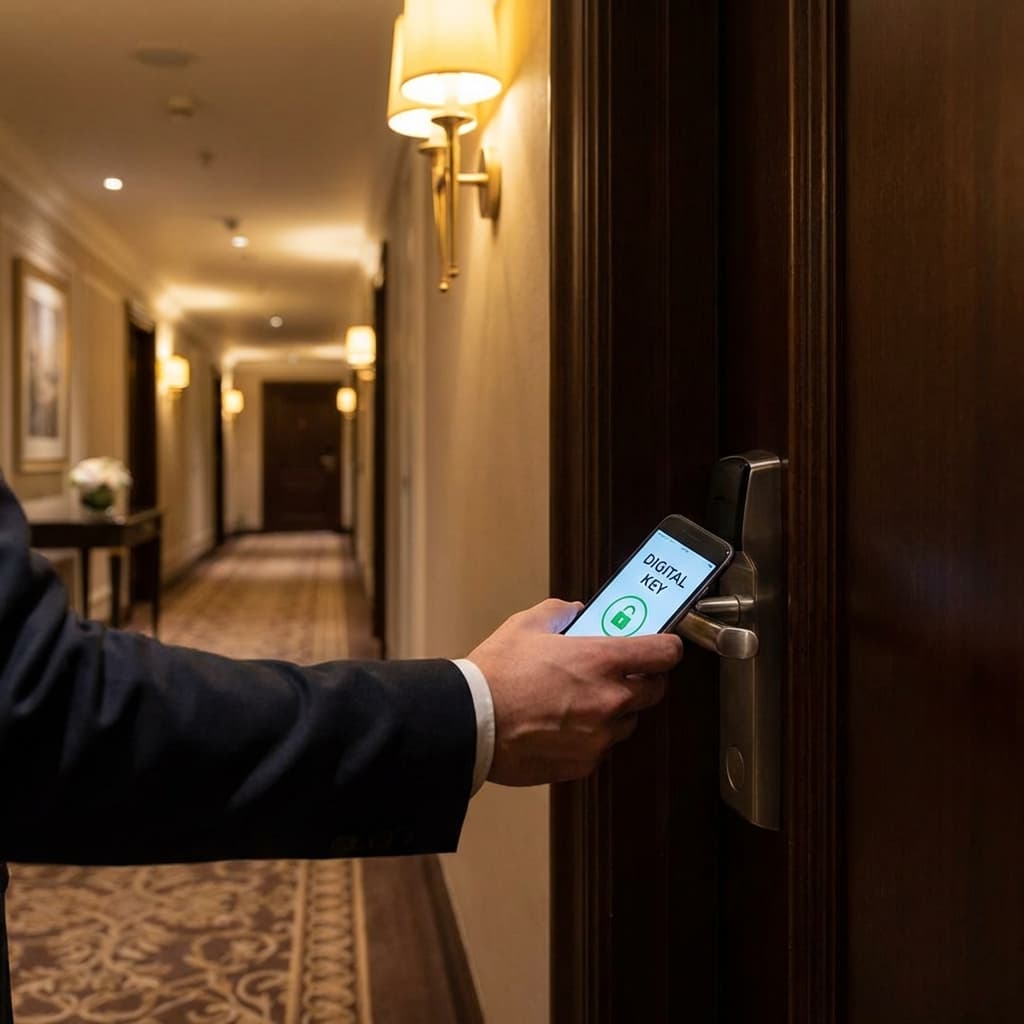
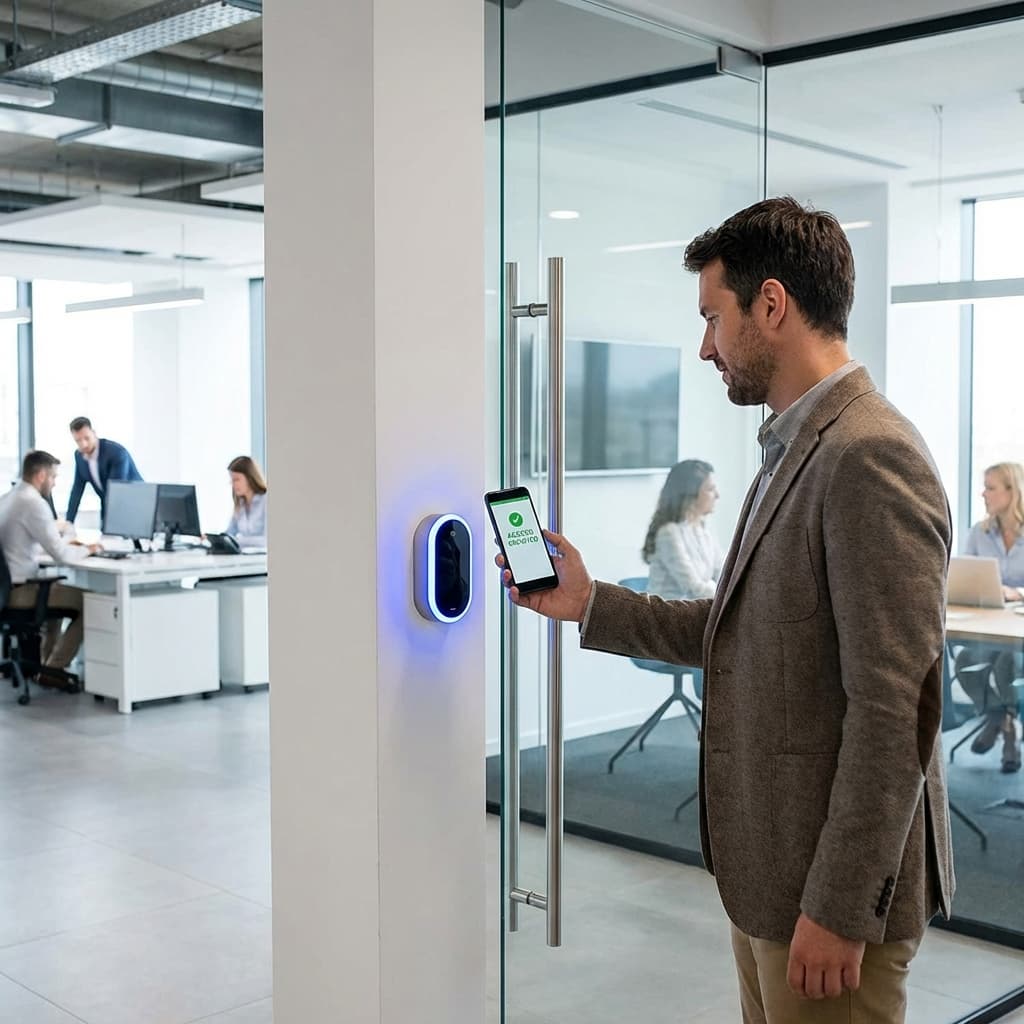
Meanwhile, the solution is already in everyone's pocket: their smartphone. NFC (Near Field Communication) mobile access control transforms how organizations manage physical security, replacing plastic cards with digital credentials that are more secure, more convenient, and dramatically easier to manage.
The transition from physical to mobile access isn't just about technology—it's about rethinking workplace security for a mobile-first world.
The Problem with Physical Access Cards
Understanding why mobile access is revolutionary requires examining the failures of traditional systems.
The "Forgotten Card" Problem
Access cards have a fatal flaw: they're easy to forget.
The Statistics:
- Average office worker forgets their access card 3-5 times per year
- 15-20% of employees forget cards at least once per month
- Front desk or security spends 30-60 minutes daily managing "forgot my card" situations
The Consequences:
- Productivity loss (employee locked out, can't start working)
- Security risk (propping doors open, letting strangers in without verification)
- Administrative burden (temporary cards, manual logs, recovering lost time)
- Employee frustration (embarrassment, stress, poor start to workday)
In contrast, people virtually never forget their smartphones. Studies show 80%+ of people would return home for a forgotten phone, but fewer than 20% would return for a forgotten access card.
The Lost Card Security Nightmare
When cards are lost, security complications multiply:
Employee Reports Lost Card:
- Security team must immediately deactivate card (takes 15-30 minutes)
- Issue temporary replacement (physical process, paperwork)
- Order permanent replacement ($5-15 per card + shipping)
- Schedule card pickup/delivery
- Reprogram new card with employee credentials
- Deactivate temporary when permanent arrives
If Employee Doesn't Report Lost Card:
- Card remains active until discovered (hours, days, or never)
- Anyone who finds it has full building access
- No way to track who used the lost card
- Potential security breach goes undetected
Annual Cost for 200-Person Office:
- 40-50 lost/damaged cards per year (20-25% of workforce)
- $10 average replacement cost × 45 cards = $450
- Administrative time: 20 hours at $25/hour = $500
- Temporary security risk: unquantifiable but significant
The Sharing and Duplication Risk
Physical cards are easily shared or duplicated.
Intentional Sharing:
- Employee lends card to friend/family member to use office amenities
- Departing employee keeps card and shares with unauthorized person
- Contractor gets card, makes copy, returns original
Unintentional Security Gaps:
- Card left at front desk for "expected visitor" gets used by wrong person
- "Piggybacking" (following authorized person through door without scanning)
- Social engineering (claiming to have forgotten card to gain entry)
The Fundamental Issue: Physical cards authenticate the card, not the person. If you have the card, you get access—regardless of whether you're authorized.
The Administrative Burden
Managing physical credentials creates ongoing work:
New Employee Onboarding:
- Provision card (locate blank card, program with credentials)
- Create physical badge with photo and details
- Train employee on usage
- Integrate with other systems (time tracking, parking, etc.)
- Time required: 30-45 minutes per employee
Employee Termination:
- Request card return (often forgotten or ignored)
- Deactivate credentials in system
- If card not returned, track down or assume lost
- Remove from all integrated systems
- Update visitor procedures (prevent entry claiming "I work here")
Role Changes:
- Update access levels when employee changes departments/roles
- May require reprogramming card or issuing new one
- Ensure previous access is revoked appropriately
System Maintenance:
- Replace broken card readers
- Update firmware on access control panels
- Maintain badge printer and supplies
- Manage card inventory
- Troubleshoot reader malfunctions
For 200-person office with 25% annual turnover:
- 50 new hires onboard annually: 25-40 hours
- 50 terminations: 10-15 hours
- 30 role changes: 5-8 hours
- Lost/damaged cards: 20 hours
- System maintenance: 30-40 hours
- Total: 90-123 hours annually ($2,250-$3,075 at $25/hour)
The Visitor Management Headache
Temporary access for visitors and contractors is particularly cumbersome:
Traditional Process:
- Visitor arrives, checks in at reception
- Receptionist creates temporary card
- Visitor carries card during visit
- Receptionist must collect card at exit (often forgotten)
- Deactivate card in system
- Reuse card for next visitor (track which cards are available)
Problems:
- Visitors forget to return cards (30-40% no-show rate)
- Unreturned cards remain active (security risk)
- Manual tracking is error-prone
- Receptionist must be available during business hours
- After-hours or weekend visitor access requires special arrangements
The Technology Limitations
Even when functioning properly, traditional card systems have inherent limitations:
Limited Data:
- Records that someone swiped, but not much else
- Can't track whether card was used by authorized person
- No biometric verification
- Difficult to integrate with modern security systems
Slow to Update:
- Access level changes require physical card reprogramming or replacement
- Can't push updates remotely
- Emergency lockdowns require manual intervention at each access point
Difficult to Scale:
- Adding new doors/buildings requires extensive infrastructure
- Wiring and hardware for each access point
- Integration across multiple buildings is complex
One Size Fits All:
- Can't easily create temporary, time-limited access
- Difficult to set granular permissions (specific doors at specific times)
- Role-based access requires multiple card types or complex programming
The Mobile NFC Access Solution
NFC-enabled smartphones solve these problems elegantly.
How Mobile Access Control Works
The Technology:
Employee's Smartphone: Modern smartphones (iPhone 7+ and most Android devices) have built-in NFC chips. These can securely store access credentials in encrypted storage.
Credentials Delivered Digitally: Instead of physical cards, employees receive digital access credentials via:
- Dedicated mobile access app
- Apple Wallet (for iOS)
- Google Pay (for Android)
Access Points: Door readers support NFC communication, reading credentials from smartphones the same way they read physical cards.
Backend System: Cloud-based access control platform manages all credentials, permissions, and logs.
The Employee Experience:
- Approach office door with phone in pocket or hand
- Tap phone against NFC reader (or hold near reader for auto-detection)
- Instant authentication and unlock
- Walk through door
- Total time: 1-2 seconds
No App Opening Required: Many systems work with phone locked or from home screen—just tap and go.
Key Advantages Over Physical Cards
Never Forgotten: People virtually never leave home without their phones. The "forgot my badge" problem essentially disappears.
Instant Revocation: When employee leaves, credentials are revoked server-side in seconds. Even if employee doesn't return equipment, they have zero access. No waiting for card collection.
No Physical Inventory: Zero cards to order, store, track, or manage. All credentials are digital.
Enhanced Security: Mobile credentials can require biometric authentication (Face ID, fingerprint) before granting access. This proves the authorized person is using the credential, not just anyone with the device.
Better Auditing: Track not just what door was accessed and when, but from what device. Device IDs provide additional accountability layer.
Temporary Access Made Easy: Create visitor pass, text/email to guest's phone, automatically expires after visit. No physical card to collect.
Remote Management: Update access levels from anywhere, anytime. Change takes effect immediately across all access points.
Emergency Lockdown: Lockdown entire building or specific areas instantly with one click. No need to physically touch each access point.
Integration Friendly: Modern systems integrate easily with HR software, visitor management, time tracking, and other business systems.
Implementation Approaches
Organizations can deploy mobile access at various scales and speeds.
Approach 1: Hybrid System (Existing Infrastructure + Mobile)
Maintain existing card readers, add mobile capability.
How It Works:
- Keep current physical access system
- Upgrade to NFC-compatible readers (or add NFC overlays to existing readers)
- Deploy mobile access app alongside physical cards
- Allow employees to choose: card or phone
Advantages:
- Lower initial investment
- Gradual transition (not forced, adoption can be phased)
- Backup option if mobile fails
- Works with legacy infrastructure
Disadvantages:
- Doesn't eliminate all card management
- Some employees will continue using cards indefinitely
- Dual system has higher ongoing maintenance
Best For:
- Organizations with recent access control investments
- Companies with conservative technology adoption culture
- Testing mobile access before full commitment
Cost: $5,000-$15,000 for 50-door office
Approach 2: Mobile-First System (New Installation)
Fresh deployment prioritizing mobile, cards as backup only.
How It Works:
- Install modern NFC-capable readers at all access points
- Issue digital credentials to all employees
- Provide limited physical cards only for:
- Employees with incompatible phones
- Backup/emergency use
- Shared/service accounts
Advantages:
- Purpose-built for mobile (better user experience)
- Dramatically reduces card management
- Modern platform with better features
- Lower long-term costs
Disadvantages:
- Higher initial investment (replacing entire system)
- Change management required (train all employees)
- Resistance from less tech-savvy users
Best For:
- New offices/buildings
- Major renovations or relocations
- Organizations ready for digital transformation
- Tech-forward company culture
Cost: $15,000-$40,000 for 50-door office
Approach 3: Cloud-Based Wireless System
No hardwired infrastructure—battery-powered NFC locks with cloud management.
How It Works:
- Wireless NFC locks on each door (battery-powered, 2-3 year life)
- All locks communicate with cloud platform via Wi-Fi/cellular
- Mobile-only credentials (no cards)
- Entire system managed through web dashboard or app
Advantages:
- Fastest installation (hours, not weeks)
- No wiring required (perfect for retrofits)
- Extremely flexible (add/remove doors easily)
- Lower installation cost
- Cloud platform offers best features (AI analytics, integrations)
Disadvantages:
- Battery maintenance (replace batteries periodically)
- Requires reliable Wi-Fi coverage
- Ongoing subscription fees for cloud platform
- Lock design may not fit all door types
Best For:
- Small to mid-size offices (under 100 people)
- Temporary spaces or short-term leases
- Budget-conscious organizations
- Quick deployment needs
Cost: $8,000-$20,000 for 50-door office + $500-$2,000/month platform subscription
Essential Features to Look For
Not all mobile access systems are created equal.
Security Features
Encrypted Credentials: Access credentials stored in phone's secure enclave (Secure Element on iPhone, Secure Element on Android). Cannot be extracted even if phone is hacked.
Biometric Authentication: Require Face ID, Touch ID, or fingerprint before credential activates. Ensures authorized person is using the phone.
Multi-Factor Authentication: Option to require additional verification for high-security areas (PIN code + phone tap, for example).
Remote Wipe: If phone is lost/stolen, remotely revoke credentials from cloud platform. Employee reports loss, admin clicks "revoke," credential deleted from phone immediately.
Tamper Detection: System detects if phone is jailbroken/rooted and refuses to grant access (prevents security exploits).
Certificate-Based Auth: Digital certificates verify credential authenticity, preventing cloning or spoofing.
Usability Features
Hands-Free Unlock: Bluetooth/UWB-enabled systems automatically unlock doors as authorized person approaches (phone can stay in pocket/purse).
Works When Locked: NFC tap functions with phone locked—no need to unlock phone first.
Offline Capability: Credentials work even if phone has no internet connection (credentials stored locally).
Low Battery Mode: Even if phone battery is nearly dead, NFC credential continues working (uses reserve power).
Easy Provisioning: New employee receives credential via simple email/SMS with installation link. One-tap setup.
App-Free Option: iOS and Android wallet support allows credentialing without dedicated app (simplifies user experience).
Administrative Features
Centralized Dashboard: Web-based platform to manage all users, doors, and permissions from single interface.
Role-Based Access: Create access templates by role (executive, employee, contractor, visitor) and assign in bulk.
Time-Based Permissions: Automatic access restrictions by time of day or day of week. Contractors only access Monday-Friday 8-5, for example.
Temporary Credentials: Create visitor passes that auto-expire after set duration (hour, day, week).
Audit Logs: Complete record of every access event (who, what, when, from which device) searchable and exportable.
Real-Time Alerts: Notifications for unauthorized access attempts, door left open, or other security events.
HR System Integration: Automatically provision credentials on hire date, revoke on termination, update on role change based on HR system data.
Visitor Management Integration: Link with visitor management platform to create seamless guest experience.
Emergency Controls: Lock down entire facility or specific zones with one click. Override in emergency situations.
Compliance Reporting: Generate access reports for regulatory compliance (SOC 2, ISO 27001, HIPAA, etc.)
Reliability Features
Offline Operation: Readers cache authorized credentials locally, continuing to function if cloud connection drops.
Redundant Power: Battery backup ensures readers work during power outages.
Failsafe vs. Failsecure: Choose door-by-door whether power failure locks (failsecure) or unlocks (failsafe) doors.
Multi-Credential Support: Support both mobile and physical cards during transition or for backup.
Field Serviceability: Readers and locks that can be serviced without specialized technicians (reduce downtime).
99.9%+ Uptime SLA: Cloud platforms should guarantee high availability.
Implementation Guide
Step-by-step deployment for organizations.
Step 1: Assess Current State and Requirements
Inventory Current System:
- Number of access points (doors, gates, elevators, etc.)
- Current access control technology (card type, reader model, controller hardware)
- Integration points (HR, visitor management, time tracking, etc.)
- Number of employees, contractors, visitors
- Security requirements and compliance needs
Define Requirements:
- Must-have features vs. nice-to-have
- Budget constraints
- Timeline for deployment
- User training capacity
- Ongoing administrative capacity
Stakeholder Buy-In:
- IT/Security teams (technical requirements, integration)
- HR (employee data, onboarding/offboarding process)
- Facilities (physical installation, door hardware)
- Finance (budget approval, ROI justification)
- Executive sponsor (change management, policy decisions)
- Employee representatives (usability, privacy concerns)
Step 2: Select Platform and Vendor
Evaluate Vendors: Request proposals from multiple vendors. Key considerations:
Platform Capabilities:
- Feature set matches requirements
- Integration with existing systems
- Scalability for future growth
- User interface quality
Security Certifications:
- SOC 2 Type II compliance
- ISO 27001 certification
- Industry-specific compliance (HIPAA, PCI, etc.)
- Encryption standards
Vendor Stability:
- Financial health (will they be in business long-term?)
- Customer references (talk to similar organizations)
- Market position and growth
- Product roadmap
Support and Service:
- SLA terms (response time, uptime guarantees)
- Support hours (24/7 or business hours only)
- Training provided
- Professional services availability
Pricing Structure:
- Upfront costs (hardware, installation, licensing)
- Recurring costs (subscriptions, support, maintenance)
- Scalability costs (adding users/doors later)
- Hidden fees (implementation, training, customization)
Common Platforms:
- HID Mobile Access: Enterprise-grade, extensive hardware compatibility
- Openpath: Cloud-native, modern UX, good for small-medium businesses
- Verkada: Integrated with video surveillance, all-in-one platform
- Kisi: Budget-friendly, good API, strong integration capabilities
- Brivo: Mature platform, extensive features, higher price point
- PDK: Scalable, good for multi-site deployments
Step 3: Pilot Program
Never deploy facility-wide immediately.
Pilot Scope:
- 1-2 entrances (main entrance + 1 interior door)
- 20-50 employees (tech-savvy volunteers)
- 4-8 week duration
- Full feature testing (provisioning, revocation, visitor access, etc.)
Pilot Goals:
- Validate technical functionality
- Identify integration issues
- Test user experience
- Refine training materials
- Measure usage and satisfaction
- Calculate actual ROI
Metrics to Track:
- Setup success rate (how many users successfully install credentials)
- Usage rate (percentage using mobile vs. physical cards)
- Support requests (what issues come up)
- User satisfaction (survey pilot users)
- Time savings (reduced admin burden)
- Security incidents (if any)
Iterate Based on Feedback:
- Adjust training materials
- Modify provisioning process
- Address technical issues
- Refine access policies
Step 4: Full Deployment
Phased rollout across organization.
Phase 1: Early Adopters (10-20% of employees)
- Tech-savvy employees who will embrace change
- Departments with high security needs
- Remote workers who access office infrequently
Phase 2: General Population (60-70%)
- Majority of employees
- Department-by-department rollout
- Comprehensive training and support
Phase 3: Resisters and Exceptions (10-30%)
- Less tech-comfortable employees
- Those with incompatible phones
- Optional adoption (physical cards remain available)
Communication Plan:
- Announcement email explaining change and benefits
- FAQ document addressing common concerns
- Training sessions (live and recorded)
- Video tutorials showing setup and usage
- Champions network (tech-savvy employees helping peers)
- Help desk prepared for support requests
Installation Coordination:
- Schedule hardware installation during off-hours
- Minimize disruption to operations
- Test each access point before go-live
- Backup plan (physical cards) if issues arise
Step 5: Ongoing Management and Optimization
Continuous improvement post-deployment.
Routine Administration:
- Provision new employees (automated via HR integration)
- Revoke departing employees
- Manage visitor access
- Update permissions for role changes
- Monitor audit logs
- Respond to support requests
System Monitoring:
- Reader uptime and connectivity
- Authentication success rates
- Battery levels (for wireless systems)
- Error logs and troubleshooting
- Usage analytics (which doors, when, by whom)
Optimization:
- Expand to additional doors/buildings
- Integrate with additional systems
- Implement advanced features (hands-free, AI analytics)
- Refine access policies based on usage data
- Train new administrators
Security Audits:
- Quarterly access permission reviews (do current permissions match current roles?)
- Annual penetration testing
- Compliance audits (regulatory requirements)
- Incident response planning
Cost-Benefit Analysis
Detailed ROI for mobile access implementation.
Investment: 200-Employee Office, 50 Access Points
Initial Costs:
- NFC-capable readers: 50 × $250 = $12,500
- Cloud access platform: $8,000 setup
- Professional installation: $5,000
- Project management and configuration: $3,000
- Employee training: $2,000
Total Initial Investment: $30,500
Ongoing Costs:
- Cloud platform subscription: $200/month = $2,400/year
- Support and maintenance: $1,500/year
- Hardware replacement (5% annually): $600/year
Total Annual Cost: $4,500
Benefits
Card Management Savings:
- Physical cards eliminated: 200 × $10 = $2,000/year
- Replacement cards (40/year): $400
- Badge supplies and printer maintenance: $800
- Administrative time (100 hours): $2,500
Total Card Management Savings: $5,700/year
Improved Security:
- Reduced breach risk (hard to quantify but significant)
- Faster incident response
- Better compliance (avoid fines)
- Conservative estimate of security value: $10,000/year
Productivity Gains:
- Reduced lockouts (60 incidents/year × 30 min lost × $30/hour): $900
- Faster visitor access (save 10 min per visitor × 500 visitors × $30/hour): $2,500
- Streamlined onboarding/offboarding (50 hours saved × $25/hour): $1,250
Total Productivity Savings: $4,650/year
Total Annual Benefit: $20,350
Net ROI:
- First Year: $20,350 - $30,500 - $4,500 = -$14,650 (payback in ~18 months)
- Subsequent Years: $20,350 - $4,500 = $15,850 annual profit (353% ROI)
Intangible Benefits:
- Enhanced employee experience
- Improved brand perception (modern, tech-forward)
- Better data for space utilization
- Foundation for future smart building integration
- Environmental benefit (eliminate plastic cards)
Future Trends
Mobile access is evolving rapidly.
Ultra-Wideband (UWB) Technology
Beyond NFC: UWB enables precise location tracking.
- Doors unlock automatically as authorized person approaches (hands-free, phone in pocket)
- Precise positioning (within centimeters)
- Following prevention (door locks immediately after person passes)
- Asset tracking (locate equipment in real-time)
Coming Soon: iPhone and Android devices already include UWB chips, enabling this without additional hardware.
AI and Machine Learning
Access systems that learn and predict:
- Anomaly detection (flag unusual access patterns)
- Predictive access (pre-authorize based on calendar/patterns)
- Capacity management (optimize building usage)
- Energy savings (HVAC adjusts based on occupancy)
Integration with Broader Smart Building
Mobile access becomes central credential for entire building:
- Elevator call and floor selection
- Conference room booking and access
- Parking gate entry and space assignment
- Desk/workspace access (hot desking environments)
- Equipment checkout (shared resources)
- Cafeteria payments
- Print release at copiers
Biometric Enhancement
Smartphone biometrics integrated with physical access:
- Face recognition at door matches Face ID on phone
- Continuous authentication (confirms same person throughout day)
- Behavioral biometrics (walking gait, device handling patterns)
Blockchain Credentials
Decentralized identity and access:
- User controls own credentials
- Cryptographic verification
- Works across multiple organizations
- Eliminates central honeypot of credential data
Conclusion: Access Control for the Modern Workplace
Physical access cards were revolutionary when introduced decades ago. But like floppy disks, fax machines, and landline desk phones, their time is passing.
The modern workforce is mobile-first. People expect to use their smartphones for everything—payments, boarding passes, event tickets, hotel rooms. Building access is a natural extension.
Mobile access isn't just more convenient—it's more secure, more manageable, and more cost-effective than traditional card systems. It enables capabilities impossible with physical credentials: instant revocation, temporary access, detailed auditing, remote management.
For employees, it eliminates a daily friction point. No more fumbling for badges, no more embarrassing lockouts, no more carrying yet another physical item.
For administrators, it dramatically reduces time spent on credential management—time that can be redirected to higher-value security initiatives.
For organizations, it provides better security, better data, and a foundation for smart building transformation.
The technology is mature, the costs are reasonable, the benefits are substantial. The question isn't whether to transition to mobile access—it's when and how.
Your employees are already carrying the key in their pockets. Your office just needs to recognize it.
Welcome to modern access control—secure, seamless, and smartphone-powered.